Drive Mode: large buttons for the road
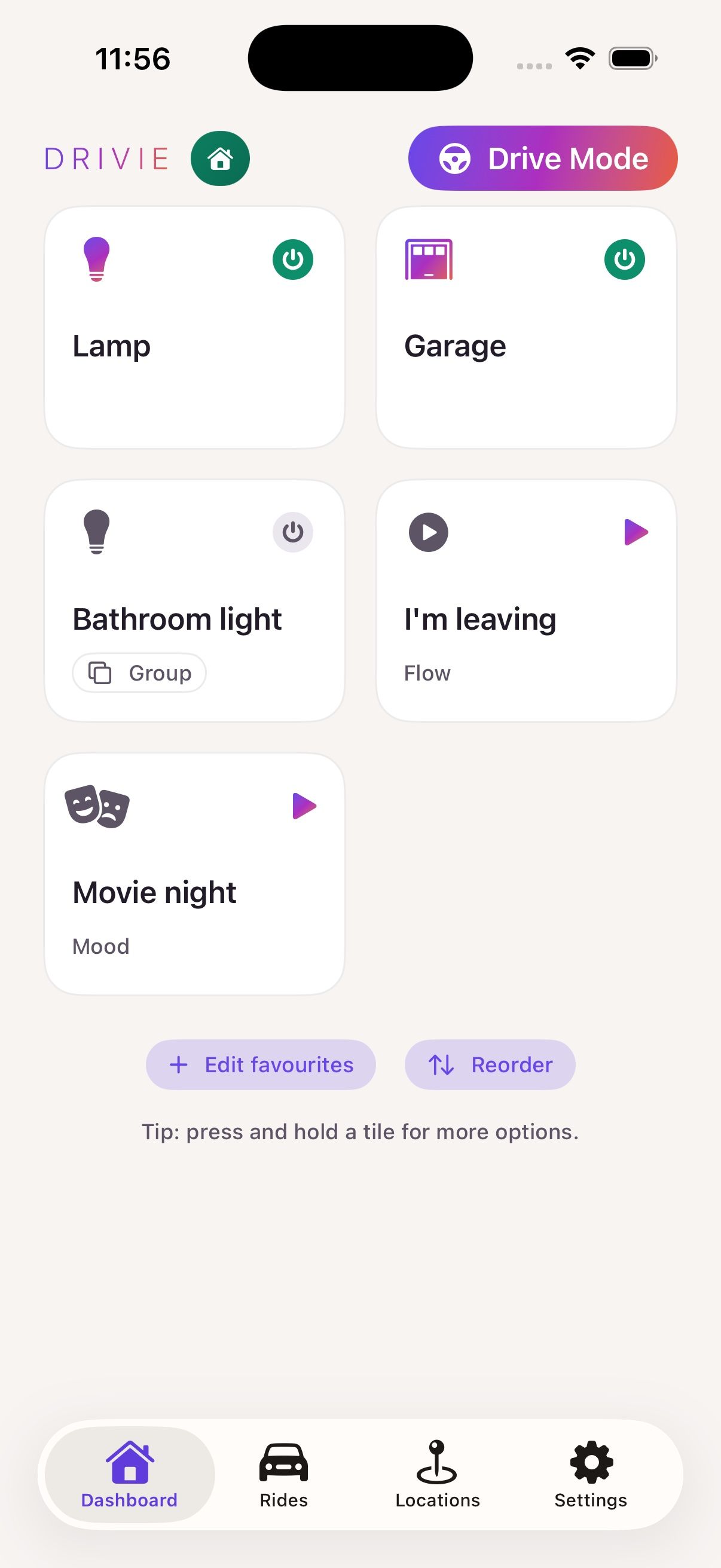
Drive Mode is a view in the Drivie app on your phone with large buttons and large text, made to control your Homey while driving. Drive Mode is free.
Your favourites, bigger
After signing in you see your favourite devices, flows and moods, the same ones you already ticked in the Homey app. Drive Mode sits at the top of every screen. It shows the same favourites with large buttons.
Starting on its own in the car
On iPhone, Drive Mode can start on its own. Create an automation in the Shortcuts app that runs "Open Drive Mode" as soon as your phone connects to your car’s Bluetooth.
Does your car have CarPlay or Android Auto?
Then the easiest way to control your Homey is from the car screen. Drive Mode is there for cars without CarPlay or Android Auto, and for anyone who prefers the phone in its holder.
Questions
Is Drive Mode free?
Yes. Drive Mode is part of Standard, like CarPlay and Android Auto.
Which buttons are in Drive Mode?
Your favourite devices, flows and moods. You choose them in the Drivie app on your phone.
Can Drive Mode start on its own?
On iPhone it can, with an automation in the Shortcuts app that starts Drive Mode as soon as your phone connects to your car’s Bluetooth.